The short answer
Use YouTube TV multiview when four games fit on one screen. Use multiple TV-class screens when you need more full-size games, then use QuadCue to schedule the slate and automate game placement and audio.
Choose one screen or several TVs
One large screen with multiview is the cleanest starting point. Multiple televisions work better when individual games need to remain large or when more than four games overlap.
- One screen: up to four games in a YouTube TV multiview
- Several TVs: more full-size games across the room
- Hybrid: multiview on one screen plus individual games elsewhere
Build the game-day slate
List every game you actually care about, confirm its channel, and decide its priority before kickoff. A complete plan is easier to automate than a room built one remote click at a time.
- Confirm local and national channels
- Order games by priority
- Account for overlapping start times
- Plan which screen owns each game
Decide which audio matters
The room only needs one primary audio feed. Pick the best live game, mute commercial feeds, and use music only when every monitored game is at break.
What YouTube TV multiview handles
YouTube TV creates the multiview and renders up to four live channels together. Its big-screen interface lets viewers choose the active tile and audio.
What QuadCue automates
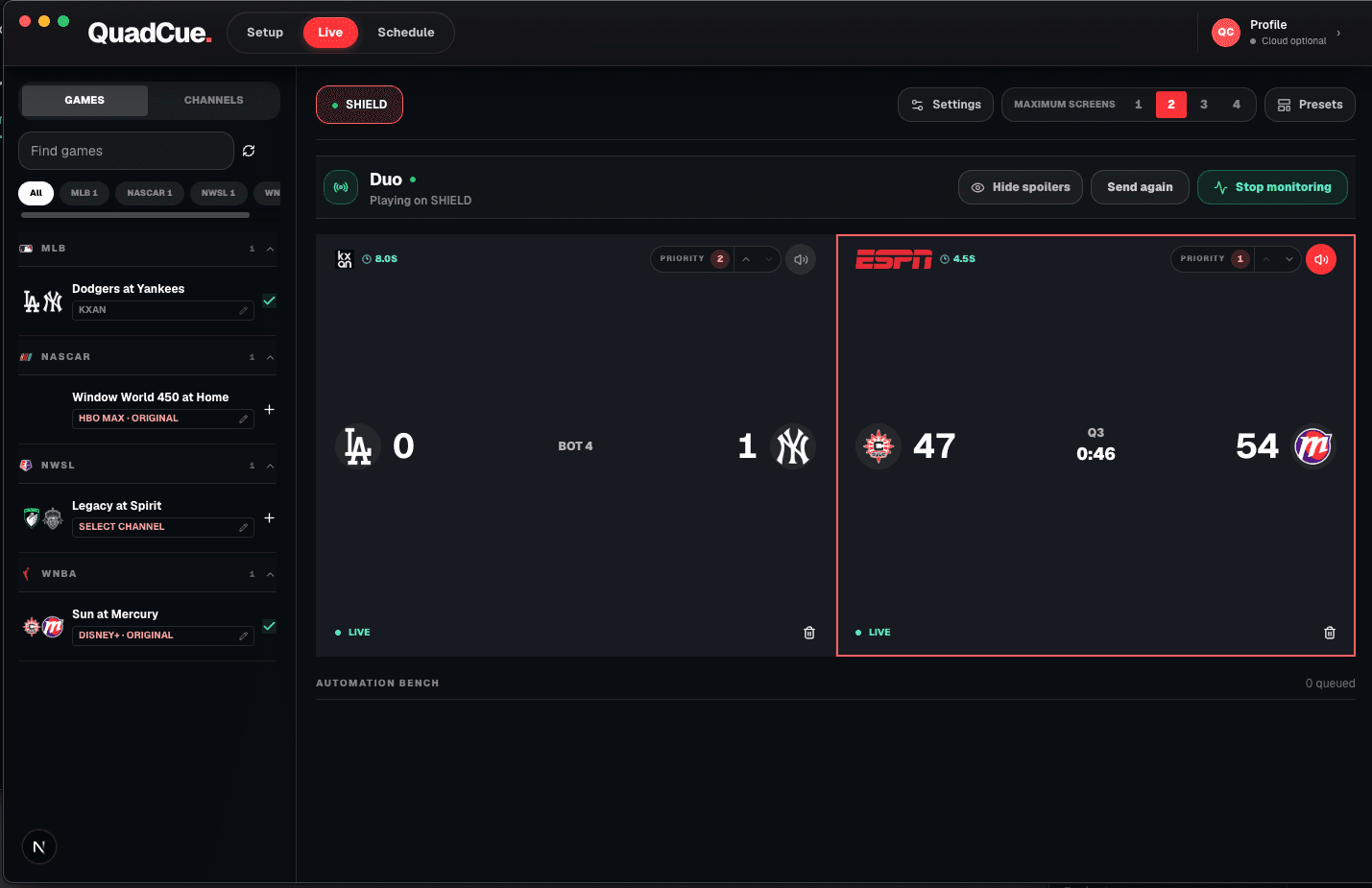
QuadCue adds the operating layer around the multiview: scheduling, game-state monitoring, moving games, audio focus, break handling, and final cleanup.
Optional receiver hardware
Use the screen you own. Add a receiver only if you need one.
QuadCue works with TV-class sessions, so there is no reason to replace compatible hardware. These links are shortcuts for adding a supported receiver to another screen.
As an Amazon Associate I earn from qualifying purchases.
Roku Express 4K+
A compact option for adding a TV-class Roku session to an existing screen.
View on Amazon 02Low-profile 4K stickRoku Streaming Stick 4K
A portable Roku receiver for screens where a box would add unnecessary clutter.
View on Amazon 03Fire TV receiverFire TV Stick 4K
A 4K Fire TV option that runs the television version of supported streaming apps.
View on AmazonAmazon controls product details, availability, and checkout. QuadCue does not show copied prices or ratings.
Make the room easy to operate
Start with fewer screens than you think you need. A primary television with a useful multiview often covers the busiest overlap. Add another display only when a matchup deserves full-size treatment or when the schedule regularly exceeds four simultaneous events.
Write down the priority order before the first event starts. The order should answer a practical question: if two feeds are live at the same time, which one should the room hear? Team importance, score margin, game clock, and elimination stakes can all influence that decision.
Verify channel availability on the same account and in the same location that will be used on game day. Local affiliates and regional restrictions can make a listing look available on paper while producing a different result on the television.
Finally, test the transition from live play to a break and back again. The best setup is not the one with the most feeds; it is the one that can change states without forcing somebody to abandon the conversation and hunt for a remote.
Frequently asked questions
Can I watch more than four games?
Yes. Use additional TV-class screens for games beyond one four-up multiview.
Do I need QuadCue to use multiview?
No. YouTube TV includes multiview. QuadCue adds scheduling and automation.
Does QuadCue remove ads from the stream?
No. QuadCue changes audio focus and game placement; it does not alter the provider video stream.
Does QuadCue work on phones or tablets?
No. Current YouTube TV control is designed for TV-class apps and consoles.